Couch - TYPE B (Color Changeable) with Table & Rug


Couch - TYPE B (Color Changeable)
- Channel 15 / 8 + 1 - seater
- Prims: 11
- Permissions: trans / NO mod / NO copy

Click Position to Sit
1. Bottom-left
2. Bottom-center
3. Bottom-right
4. Backrest-left
5. Backrest-center
6. Backrest-right
7. Armrest-left
8. Armrest-right
9. Wooden Base (Holding armrests)


Low Table - TYPE D (Color Changeable)
- Channel 15 / 1-seater
- Prims: 8
- Permissions: mod / trans / NO copy

This is modfiable. It means you can also change color directly from the edit window.


Rug - TYPE A (Texture Change)
- 12 textures available
- Prims: 1
- Permissions: mod / trans / NO copy

Click the rug to open a dialog menu. ( OWNER ONLY )

::: Can't open the dialog menu? :::
It must be because of a shadow prim of "Low Table". Right click the rug and choose "Touch" from pie menu or scoot "Low Table".


How to Change Color
To change the color of the furniture you must use channel 15. To change the colors from the list below you must say:

/15 color + "name of the color"

FOR EXAMPLE:
/15 color red

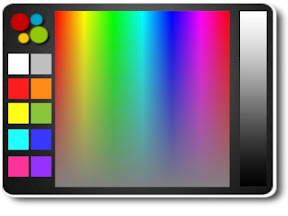
To help you pick what colors , use the color chart provided.
Color Chart is Here.

You will notice the following changes about LIST OF COLORS that the above link represents.
- 5 browninsh colors added for Couch - TYPE B.
( default1 / default2 / default3 / default4 / default5)
- Color [white] on "Low Table - TYPE D" is changed to [black].
( well... I mean even if you type "/15 color white" to change color of "Low Table" , in fact, it will be colored black, not white.)


When you have the colors you'd like write down the RGB Values or HTML Color Codes and instead of saying "/15 color red" you can use your tint color by saying...

RGB Values:
/15 color <180,5,30>

HTML Color Codes:
/15 color #FF0000


Watermelon Cooler

:::OBF::: Watermelon Cooler


- 4-seater / with Cicada chirp

- Prims: 11

- Permissions: mod / trans / NO copy


Click watermelons to sit.


Feature:

Right click the tub and choose "Touch" from pie menu to start / stop a sound of cicada chirping.


(Maybe) This is a prize for a limited time during summer.
You can get it at my store by camping.

Living Room Set - Type C (Color Change)

Updated on May 30, 2011.


:::OBF::: Living Room Set - Type C (Color Change)
- Ver.2.01.
- Features:
  • 11+4 Different Poses for Single / 9+12 Different Sets for Couple.
  • 2 Types of Texture for a Sofa. (Smooth / Fiber).
  • 13 (+1) Color Variations, mainly sofas.
  • Free Tinting with Color Picker HUD.
  • Tall Speakers with 12 Drum Loop Sounds.
- Prims: 40 Total.
- Permissions: trans / NO copy / NO mod mod / copy / NO trans
- Included:
  • Couple Sofa - Type J
  • Couple Sofa - Type K
  • Tall Speaker (x2)
  • Low Table - Type C
  • Waterdrop Lamp with Particle
  • Props: Record / 1Prim Decorative Magazines - Vee (Plus Shadow)
  • Color Picker HUD for LRS-C


CHANGE POSE
Click the sofa to open menu.

Type J:
* 2-seater.
* [Seat Main]: 11 single poses.
* [Seat Side]: 3 single poses.
* [Couple M / F]: 9 sets of couple pose.


Type K:
* 4-seater.
* [SeatMain R / L]: 11 single poses each.
* [SeatSide R]: 3 single poses.
* [SeatSide L]: 2 single poses.
* [Couple M / F]: 12 sets of couple pose.

Couple pose / animation will synchronize when both of couple seats are occupied.


ADJUST SITTING POSITION - /1a
While sitting, You (anybody) can use the "/1a" (without quotes) command to easily customize your position and rotation.
The custom position of the 50 most regular sitters (if they have adjusted it) will be remembered.


OPTIONS
- SOFAS
WITHOUT SITTING, RIGHT CLICK on the sofa and CHOOSE "TOUCH" from context menu. Dialog menu will open.
  • [Smooth / Fiber] (Texture): 13 (+1) colors each.
  • [FullBright]: Get the Full-Bright setting.


- TALL SPEAKERS
Click the speaker to open menu.
  • [Loop 1~12]: 6 drum loop sounds each. (12 different sounds total.)
  • [Color]: 13 colors for a speaker box.
  • [Head]: 4 textures for speaker heads.
  • [FullBright]: Get the Full-Bright setting. (Whole / Head)


- LOW TABLE
CLICK A SHADOW PART to open menu.
  • [TopBoard]: 13 colors.
  • [Legs]: Light or Dark.
  • [Contrast]: Set Hi or Low after tinting with Color Picker HUD.
  • [FullBright]: Get the Full-Bright setting.


- WATERDROP LAMP WITH PARTICLE
Click the lamp shade to open menu.
For particle, CLICK A SHADOW PART to start / stop. You will receive a message: Particle ON / OFF.
  • [Light]: 11 colors.
  • [Shade]: 9 colors.


- DECORATIVE MAGAZINES
Click the magazines to open menu.
6 cover textures available.


TINT WITH COLOR PICKER HUD
Attach ":::OBF::: Color Picker HUD" (default on Top-left) and click color palette. You can freely pick up color, like on Second Life edit tool.