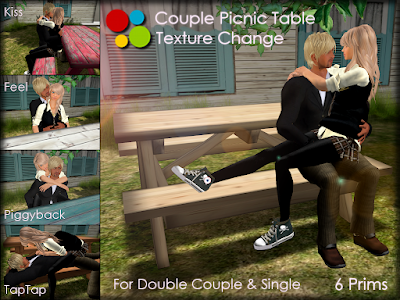
:::OBF::: Couple Picnic Table - Type B2 (Texture Change) - ver.2.0.
Features:
- 4-seater (2 Couples / 4 Singles).
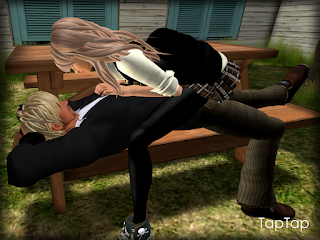
- 7 Types of Single Pose / Animation, PLUS Original Eat / Eat Soup Animation for Male and Female.
- 12 Sets of Couple Pose / Animation (Double Couple on Seat Right / Left).
- Swap Feature for Couple: No need to reseat if you sit in the wrong position.
- 21 Types of Texure.
Prims: 6
Permissions: trans / NO mod / NO copy
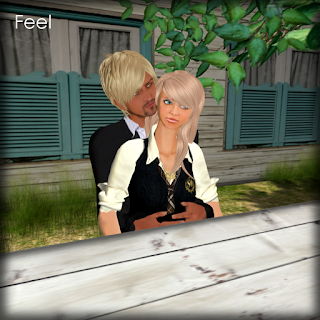 CHANGE POSE
/ ADJUST SITTING POSITION
Click a picnic table to open menu.
- 4-seater (2 for the right and left seat each).
- [Single Sits]: 7 single poses.
- [Eating]: Original eat / eat soup animation for Male and Female.
- [Couple M / F]: 12 sets of couple pose.*1
- [SWAP]: Swap a seat without reseating yourself.*2
- [ADJUST]: Up to the last 400 user's personal adjustments (position / rotation) will be stored.*3
*1. To use couple set , have the same seat (right or left) where your parter occupies. Couple pose / animation will synchronize.*2. Swap feature will work on the same side, right / left.*3. at which point the oldest 10 are removed to make room for new ones. (the owner's adjustments take memory storage priority). 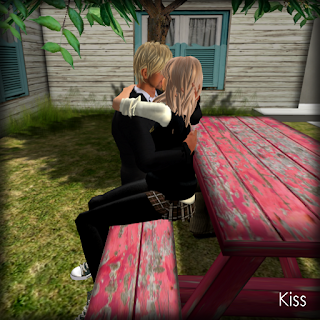 CHANGE TEXTURE
Click a shadow of Picnic Table to open menu.
21 textures available.
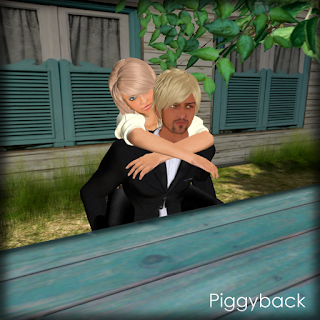 CHANGE COLOR
Attach ":::OBF::: Color Picker HUD" (default on Top-left) and click color palette. You can freely pick up color, like on Second Life edit tool.

RESTRICTED OWNER MENULEFT-CLICKHOLD on a picnic table to open menu. (OWNER ONLY).
- [Access]: Toggle sitter access mode (Owner / Group*4 / Public).
- [Expressions]: Toggle facial expressions (On / Off).
- [Reload MPS]: Reset pose system scripts.
 *4. While in group mode, the group allowed is determined by the one set for the object. To set an object to the group:
- Right-click the object and select "Edit".
- Under the "General tab", click the Edit [Wrench] button.
- Select a group. The object is set to this group.
And a sitter needs to activate the appropriate group to sit. To activate the group tag:- Select "Communicate" > "My Groups" from the menu at the top of the Viewer.
- Right-click on the name of the group you wish to make active.
- Click "Activate".
- The group name changes to bold to indicate that it is active.


